
Workbooks
Beacon includes two Azure Monitor Workbooks for monitoring alerts and system health. These are automatically created as part of the Azure deployment.
Beacon Alerts
The alerts workbook provides an operational overview of all alerts generated by Beacon across client tenants.
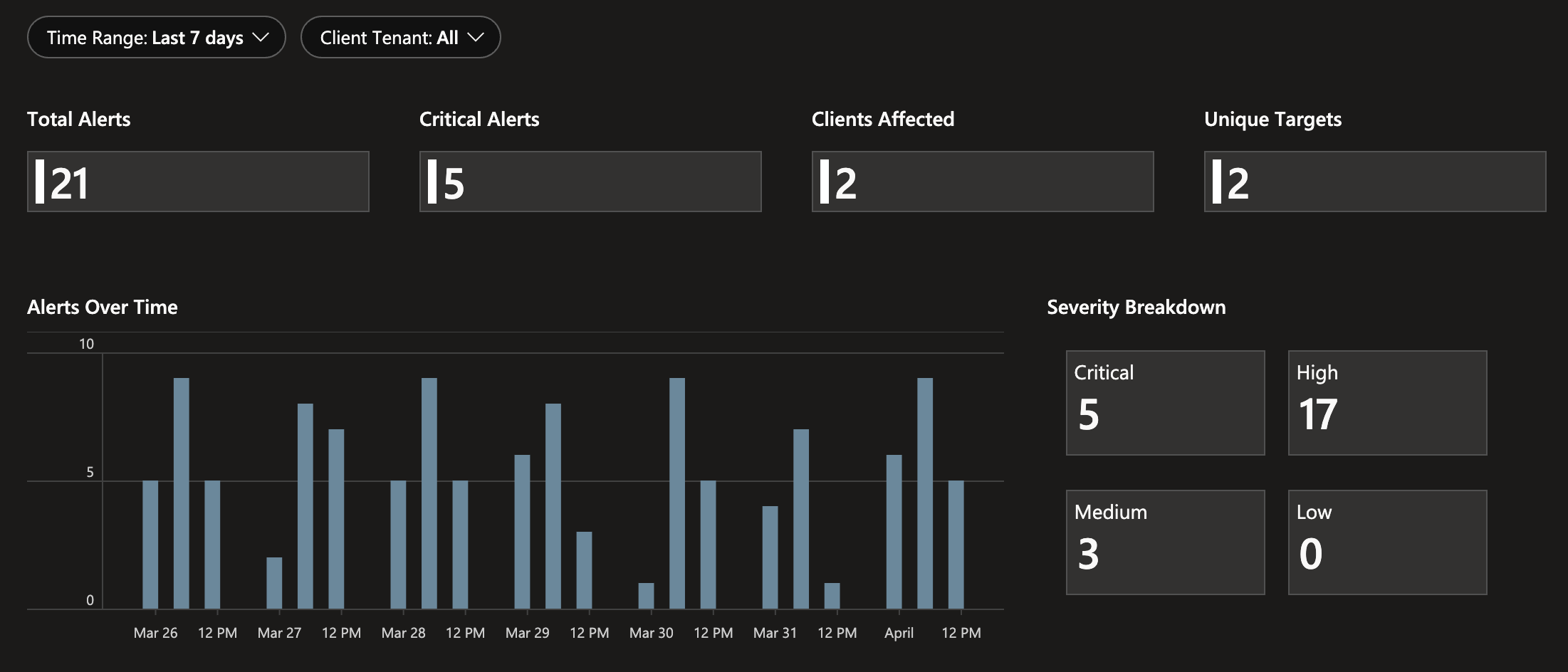
Parameters
- Time Range: Filter by last 24 hours, 7 days, or 30 days
- Client Tenant: Multi-select to scope the view to specific client tenants
Summary Tiles
Four summary tiles at the top of the workbook show counts for the selected time range:
- Total Alerts: Total number of alerts generated
- Critical Alerts: Count of alerts with Critical severity
- Clients Affected: Number of distinct client tenants with alerts
- Unique Targets: Number of distinct target users/resources across alerts
Charts
- Alerts Over Time: Bar chart showing alert volume
- Severity Breakdown: Tile view breaking down alert counts by severity level
- Top 8 Clients by Alert Volume: Tile view of the clients generating the most alerts
Recent Alerts Table
A detailed table showing the 100 most recent alerts with the following columns:
- TimeGenerated, ClientTenantName, RuleName, Actor, Target, Severity, SourceType, RawEventSummary
Beacon System
The system workbook provides visibility into the operational health of the Beacon deployment itself.
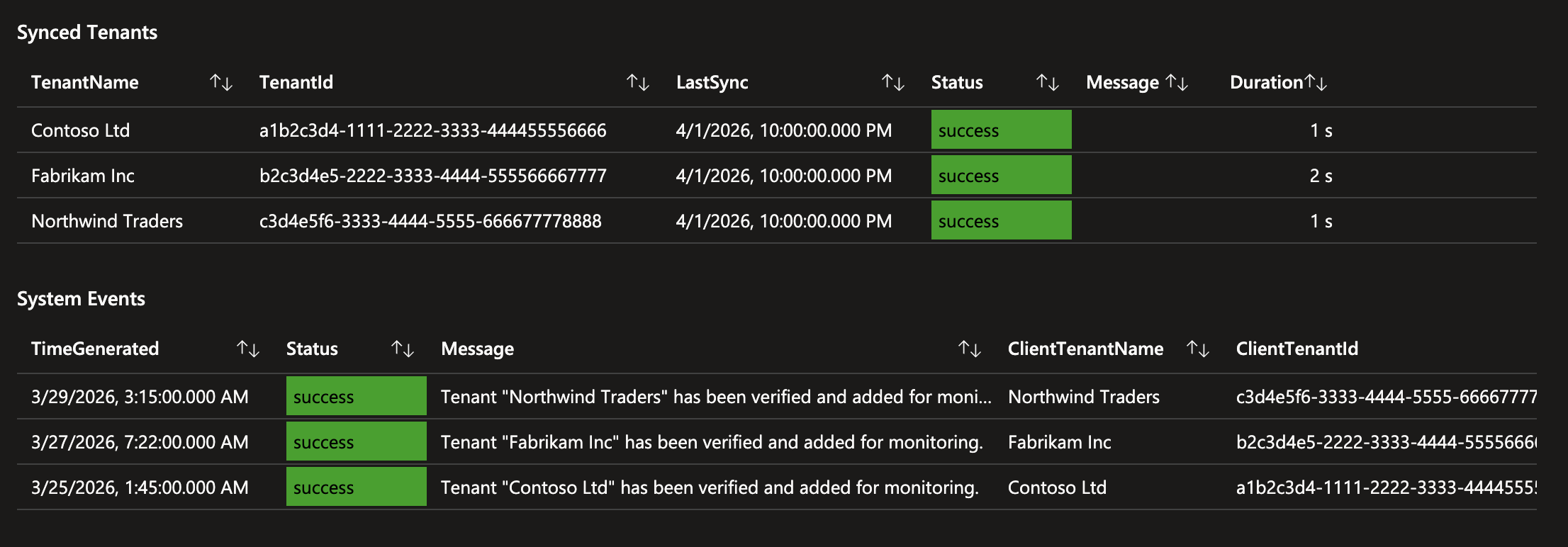
Admin Consent URL
A text section at the top displays the admin consent URL template used to onboard new client tenants.
Synced Tenants
A table showing the latest sync status for each client tenant:
- TenantName / TenantId: The client tenant
- LastSync: Timestamp of the most recent sync
- Status: Color-coded status
- Message: Last sync result message
- Duration: Last sync duration
System Events
A table of the 100 most recent system-level log entries.
- TimeGenerated: Timestamp
- Status: Color-coded status
- Message: Event description
- ClientTenantName / ClientTenantId: Associated tenant (if applicable)
WARNING
These workbooks are overwritten when updating Beacon. If you want to customize the dashboards, create a new workbook rather than modifying the included ones.